

Our Verdict
Neither navigation apps nor dedicated GPS devices are universally superior - the right choice depends on where you're driving and what trade-offs you're willing to accept. Apps shine in connected, urban environments with their live traffic data and no upfront hardware cost. Dedicated GPS units earn their keep when cell coverage is sparse or when you'd rather not drain your phone's battery on long stretches between charging stops.
| Best for | Recommended |
|---|---|
| Drivers sticking to well-connected highways and urban routes | Navigation Apps |
| Those exploring remote areas with limited or no cell coverage | Dedicated GPS Device |
| Budget-conscious travelers who already own a smartphone | Navigation Apps |
| Drivers who want a reliable backup system regardless of signal | Both tools together |
The Core Difference: Connectivity vs. Independence
Navigation apps - think Google Maps, Apple Maps, or Waze - are software running on your smartphone that pull live data from the internet. They continuously update traffic conditions, road closures, and estimated arrival times as long as your phone has a data signal. Dedicated GPS devices, by contrast, store maps locally on the unit itself and calculate routes entirely offline. That fundamental architectural difference drives nearly every other trade-off between the two.
For most urban and suburban driving, connectivity is rarely an issue, which makes apps feel almost frictionless. But as soon as you venture into mountain passes, national parks, or rural stretches of the American West and Midwest, cell coverage can become spotty or disappear entirely. That's where the offline reliability of a dedicated unit becomes genuinely valuable rather than just a marketing claim.
Evaluating your route in advance is one of the smartest things you can do before committing to either navigation tool - knowing whether you'll be on well-covered interstates or isolated two-lane highways shapes the decision significantly.
Where Navigation Apps Have the Edge
Smartphone apps update their maps automatically and frequently, meaning newly opened roads, rerouted highways, and recently added points of interest appear without you doing anything. Apps also integrate live traffic data, offering real-time rerouting around accidents or construction - a meaningful advantage on busy travel corridors during holidays or peak summer weekends.
The cost argument is also real: if you already own a modern smartphone, a navigation app costs nothing beyond your existing data plan. Many apps, including Google Maps, allow you to download offline maps for specific regions, partially bridging the connectivity gap for planned rural stretches.
Download Offline Maps Before You Leave
If you're using a navigation app, download offline maps for every region on your route before you depart - not just your starting city. Most major apps support regional offline downloads. This one step dramatically reduces your vulnerability to dead zones and keeps routing functional even when your signal drops to zero on rural highways.
Apps also excel at search. Finding a specific restaurant, a particular campground, or the nearest EV charging station is far faster through a phone interface than through the limited keyboards found on most standalone GPS units.
Where Dedicated GPS Devices Hold Their Ground
A dedicated GPS device has one job, and it does that job whether you have zero bars of service or full 5G. For drivers heading into areas like the Colorado Rockies, rural Alaska, or stretches of the Great Plains with limited tower infrastructure, that offline reliability is not a minor convenience - it's a safety consideration.
Standalone units also don't compete with your phone for battery. Running navigation on a smartphone for eight or more hours of driving can strain even a new battery, and older phones may struggle to keep up even when plugged in. A GPS unit draws from its own power source, keeping your phone free for calls, photos, and emergencies.
| Navigation Apps | Dedicated GPS Devices | |
|---|---|---|
| Connectivity required | Yes, for live data (offline maps available) | No, fully offline operation |
| Map update frequency | Automatic, frequent updates | Manual updates, sometimes paid |
| Real-time traffic | Yes, live rerouting included | Limited or none on most units |
| Upfront cost | Free to low cost (uses existing phone) | Moderate to high hardware cost |
| Phone battery impact | High - significant drain over long drives | None - independent power source |
| Screen optimized for driving | Varies by phone; not purpose-built | Yes, designed for in-car use |
| Search and POI discovery | Excellent, intuitive interface | Limited, slower keyboard input |
Dedicated devices also tend to offer larger, purpose-built screens with anti-glare coatings designed for daylight visibility - an underrated ergonomic benefit when you're trying to glance at directions without squinting. Over-relying on a single navigation source is one of the more common and costly road trip errors seasoned drivers still make.
Practical Considerations Before You Choose
Before deciding, honestly assess your trip profile. A road trip along the East Coast through major metro areas calls for very different tools than a week-long loop through Utah's canyon country. Consider these factors:
- Coverage map: Check your carrier's coverage map for your intended route, not just the start and end points.
- Device mounting: Both tools benefit from a quality mount. A phone wobbling in a cheap vent clip is a distraction hazard.
- Data costs: Heavy navigation use can consume significant mobile data. If you're on a limited plan, offline-capable tools matter more.
- Update habits: Dedicated GPS maps require periodic paid updates that some owners neglect, leading to outdated routing. Apps handle this automatically.
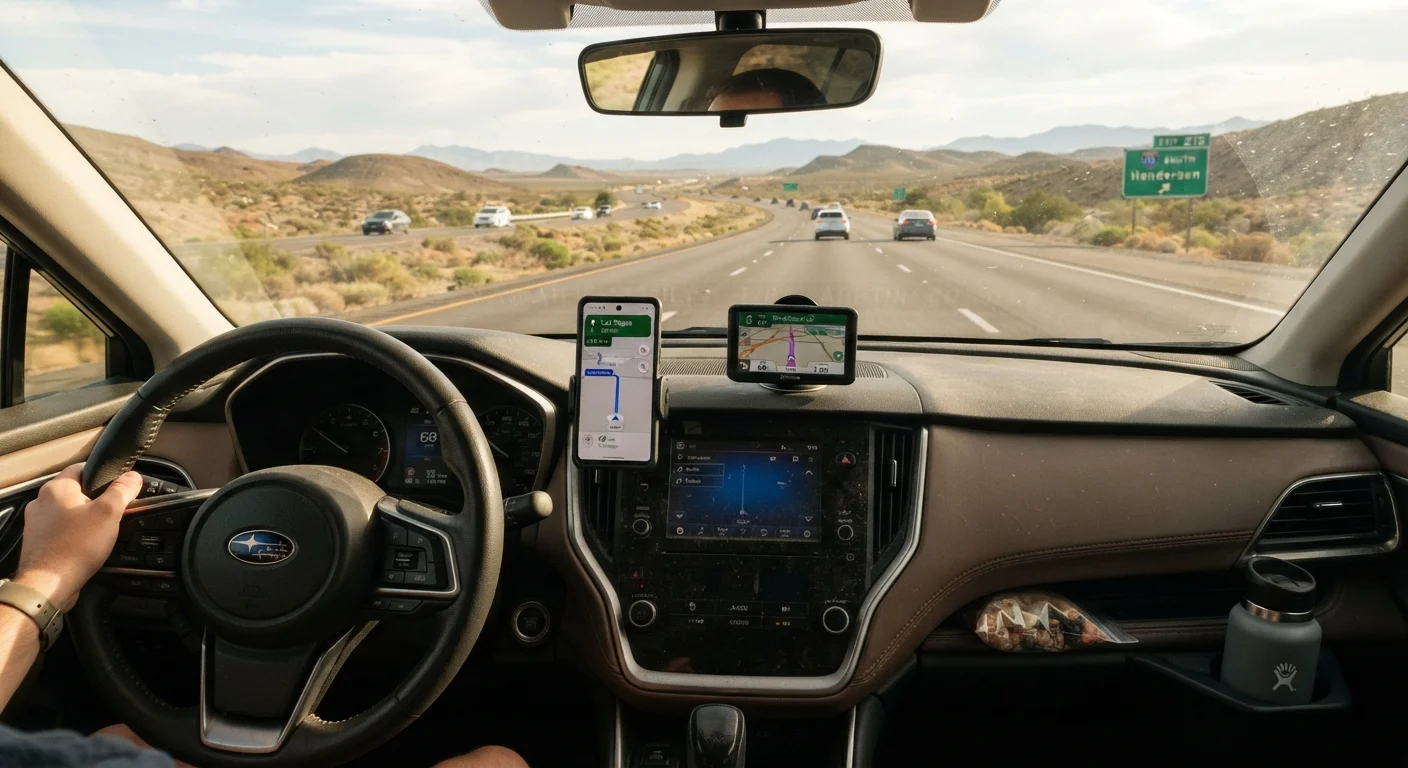
Many experienced road trippers land on a hybrid approach: using a navigation app as the primary tool on their phone while keeping a GPS device loaded with downloaded maps as a backup. It adds a layer of redundancy that pays off the one time coverage fails on an unfamiliar stretch of highway. Smart travel preparation consistently involves building backup systems rather than depending on a single point of failure.
The content on this site is provided for informational purposes only and should not be considered a substitute for professional advice. While we strive to provide accurate and up-to-date information, we make no guarantees regarding its completeness or accuracy. Always consult a qualified professional for advice specific to your circumstances before making any decisions.