

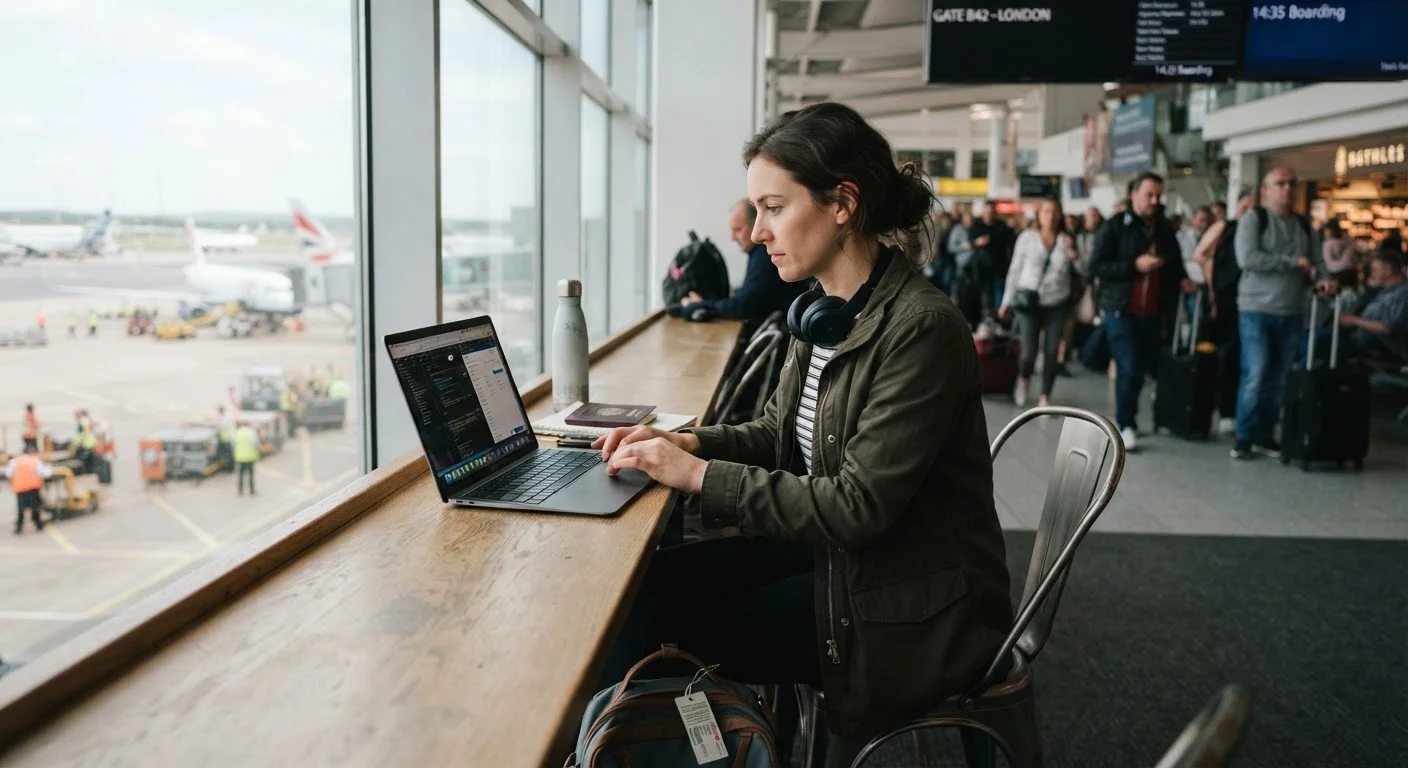
Why Digital Security Matters More When You Travel
Travel puts your devices in unfamiliar, higher-risk environments. You're connecting to networks you don't control, carrying hardware through crowded public spaces, and sometimes crossing borders where different legal rules apply. The habits that feel adequate at home - a simple password, occasional updates - leave real gaps when you're on the road.
This isn't about paranoia. It's about understanding that phone theft, credential harvesting over public Wi-Fi, and even border searches are documented, routine occurrences. A little preparation before you leave and a few consistent habits while traveling can significantly reduce your exposure. For a broader pre-trip security checklist, see our guide Before You Leave: The Travel Preparation Checklist Every Traveler Needs.
Best Practices for Protecting Your Devices and Data
The following practices address the most common vulnerabilities travelers face - from unsecured networks to physical device loss.
Use a reputable VPN whenever connecting to public Wi-Fi networks.
Public Wi-Fi in airports, hotels, and cafes can be monitored by other users on the same network, or even impersonated by attackers running fake hotspots. A VPN (Virtual Private Network) encrypts the data traveling between your device and the internet, making it far harder to intercept. Without one, login credentials, emails, and browsing activity can be exposed.
Enable full-disk encryption and a strong screen lock on every device you travel with.
If your phone or laptop is stolen or lost, encryption makes the data on it unreadable without your passcode or password - even to someone with technical tools. A six-digit PIN offers meaningfully less protection than a strong alphanumeric password or biometric lock paired with a complex backup code.
Back up your devices completely before leaving home.
Device loss or theft is a nuisance; losing irreplaceable photos, documents, and contacts alongside it is a much larger problem. A recent backup - stored in the cloud or on a drive left safely at home - means you can restore everything to a new device without losing your trip's memories or work.
Turn off automatic Wi-Fi and Bluetooth connections when not actively in use.
Devices set to auto-connect can join malicious networks that mimic familiar network names - a technique called an "evil twin" attack. Leaving Bluetooth discoverable in crowded public spaces also creates unnecessary exposure. Disabling both when you don't need them is a simple habit that eliminates an entire category of risk.
Use two-factor authentication (2FA) on all important accounts before you travel.
If a password is compromised - through phishing, a data breach, or interception - two-factor authentication (2FA) adds a second verification step that blocks unauthorized access. Travel-specific phishing attempts targeting accommodation bookings and airline accounts are well-documented. Setting up 2FA before departure is far easier than trying to do it while abroad. See our related guide on recognizing phishing scams across every channel for additional context.
Avoid using public USB charging stations for your devices.
Public USB ports - found in airports, hotels, and transit hubs - can be modified to transfer malware or extract data from connected devices in a technique sometimes called "juice jacking." While the practical risk level is debated among security professionals, the mitigation is simple and costless: carry your own charger and plug into a standard wall outlet, or use a USB data-blocking adapter.
Quick Actions You Can Take Before Your Next Trip
You don't need to be a security expert to meaningfully reduce your risk. These immediate steps take minutes and address the highest-impact vulnerabilities most travelers overlook.
For a more complete audit of your accounts and devices, the Personal Online Security Audit checklist walks through weak spots methodically.
A Note on Border Searches and Device Access
Border Searches: Know Before You Go
In many countries, including the United States, border and customs authorities have broad legal authority to search electronic devices at ports of entry - sometimes without needing a warrant or stated reason. This applies to both citizens and foreign nationals. If you're crossing international borders with sensitive personal, financial, or professional data on your devices, it's worth researching the specific rules for your destination country and consulting a legal professional if you have concerns. Official government travel advisories are the most reliable source for up-to-date entry and border search policies.
Border searches deserve special mention because travelers are often caught off guard. In the United States, Customs and Border Protection (CBP) has authority to search electronic devices at ports of entry without a warrant, a policy that also exists in various forms in other countries. If you're carrying sensitive professional or personal data, consult a legal professional about your specific situation before traveling internationally. You can reduce exposure by traveling with a dedicated travel device containing only what you need for the trip, or by using cloud storage accessed only after clearing customs.
For perspective on why privacy matters even when you feel you have nothing to hide, this article on digital privacy is worth reading.
The content on this site is provided for informational purposes only and should not be considered a substitute for professional advice. While we strive to provide accurate and up-to-date information, we make no guarantees regarding its completeness or accuracy. Always consult a qualified professional for advice specific to your circumstances before making any decisions.