

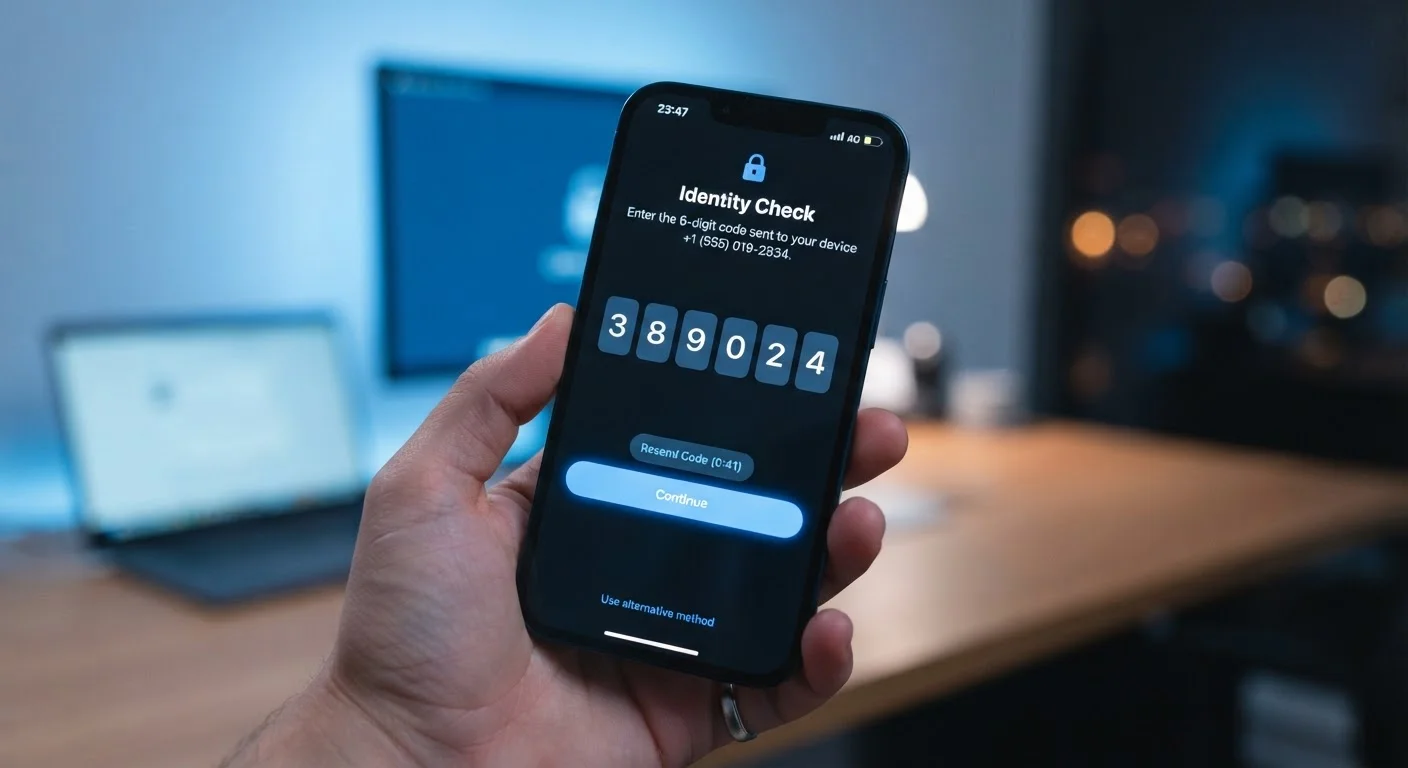
Why a Password Alone Isn't Enough Anymore
Passwords have always had a fundamental flaw: once someone else has yours, they have everything. And the ways passwords get exposed - data breaches, phishing emails, credential-stuffing attacks - are more common than most people realize. In a credential-stuffing attack, for example, hackers take usernames and passwords leaked from one breached site and automatically try them across hundreds of other services. If you reuse passwords, one breach can cascade into many compromised accounts.
This is exactly the problem two-factor authentication was designed to solve. By requiring a second proof of identity - something only the real account owner can provide in the moment - 2FA breaks the chain of a simple password compromise. Even if an attacker has your exact password, they're stopped cold without that second factor.
For more on the everyday habits that make accounts vulnerable in the first place, see the habits that quietly undermine your online security.
99.9%
Of automated account attacks blocked by MFA
According to Microsoft's internal security research, enabling multi-factor authentication blocks over 99.9% of automated credential-based attacks on accounts.
~50%
Of US adults who use 2FA regularly
Survey data from the Pew Research Center found that roughly half of Americans report using two-factor authentication on at least some of their online accounts.
80%+
Of hacking-related breaches involve stolen credentials
Verizon's annual Data Breach Investigations Report has consistently found that the large majority of hacking-related breaches exploit weak or compromised passwords.
How Two-Factor Authentication Actually Works
When you log in to a 2FA-protected account, the process has two distinct stages. First, you enter your username and password as usual. Second, you're prompted for a verification code or confirmation - and this is what changes everything.
There are several common forms this second factor can take:
- SMS text message: A one-time code is sent to your registered phone number. Simple, but vulnerable to SIM-swapping and interception.
- Authenticator app: An app on your phone generates a rolling six-digit code that refreshes every 30 seconds. These codes are device-local, meaning they never travel over a network, making them more secure than SMS.
- Hardware security key: A small physical device you plug in or tap to your phone. Considered the most phishing-resistant option, often used by people with high security needs.
- Push notification: Some services send an approval prompt directly to your registered device through their own app. You simply tap "approve" or "deny."
The code or confirmation is time-sensitive and single-use, so intercepting it is far more difficult than stealing a static password.
Which Accounts to Protect First
Not all accounts carry equal risk, but some deserve immediate attention. Your email account is arguably the most important: it's typically the recovery path for every other account you own. If someone gains control of your email, they can reset passwords for your bank, social media, and shopping accounts with ease.
After email, prioritize financial accounts - banking, investment, and payment platforms. Then turn to social media, cloud storage, and any service that holds personal documents or payment details.
Most major platforms already support 2FA - you'll typically find it under Settings > Security or Settings > Privacy. Look for the option labeled "two-factor authentication," "two-step verification," or "login verification." The setup process usually takes under five minutes.
For a structured approach to reviewing all your accounts at once, the personal online security audit checklist walks you through exactly that process.
Authenticator Apps vs. SMS: Understanding the Difference
Many people default to SMS-based 2FA because it's the easiest to set up. It is unquestionably better than nothing. But it's worth understanding why authenticator apps offer a meaningful improvement.
SMS codes travel over cellular networks and depend on your phone number staying in your control. A technique called SIM swapping - where an attacker convinces a carrier to reassign your number to a device they control - can defeat SMS-based 2FA. While these attacks typically target high-profile individuals, they do occur against everyday users too.
Authenticator apps generate codes entirely on your device using a shared secret established during setup. There's no network transmission to intercept. Even if your phone number were compromised, the attacker couldn't generate valid codes without physical access to your device.
Save Your Backup Codes Immediately
When you enable 2FA on any account, you'll be given a set of single-use backup codes. These are your safety net if you lose access to your authenticator app or phone. Store them somewhere secure and offline - a printed copy in a safe place or an encrypted notes app works well. Don't skip this step.
Pairing strong 2FA with a secure approach to passwords creates a significantly more resilient defense. The comparison of password managers and browser-saved passwords explores how to strengthen that first layer as well.
Frequently Asked Questions
Most services provide backup codes when you set up 2FA - store these somewhere safe, like a secure notes app or printed in a locked location. Many platforms also offer account recovery options through a verified email address or trusted device. It's worth reviewing a service's recovery policy before you enable 2FA.
SMS-based 2FA is better than no 2FA at all, but it has known weaknesses, including SIM-swapping attacks where a bad actor convinces your carrier to transfer your number. For higher-risk accounts like banking or email, an authenticator app or hardware key is a stronger choice.
Prioritize accounts that hold sensitive information: email, banking, social media, and anywhere you've stored payment details. Email is especially critical - it's often the recovery key for every other account you own. Start with high-value accounts and work outward from there.
No security measure is completely unbreakable, but 2FA raises the bar considerably. Sophisticated attacks like phishing for one-time codes do exist, but they require targeted effort. For the vast majority of users, 2FA effectively neutralizes the most common account takeover methods.
An authenticator app generates time-sensitive, six-digit codes on your device every 30 seconds. Unlike SMS codes, these are not transmitted over a phone network, making them harder to intercept. Popular authenticator apps are available from major technology companies and can be set up through an account's security settings.
The content on this site is provided for informational purposes only and should not be considered a substitute for professional advice. While we strive to provide accurate and up-to-date information, we make no guarantees regarding its completeness or accuracy. Always consult a qualified professional for advice specific to your circumstances before making any decisions.