

Start here
What Are Smart Home Devices?
Next
The Most Common Types and What They Do
Then
How Smart Devices Connect and Communicate
When you're ready
Where to Start as a First-Timer
Before you go live
Privacy and Security Basics
What Are Smart Home Devices?
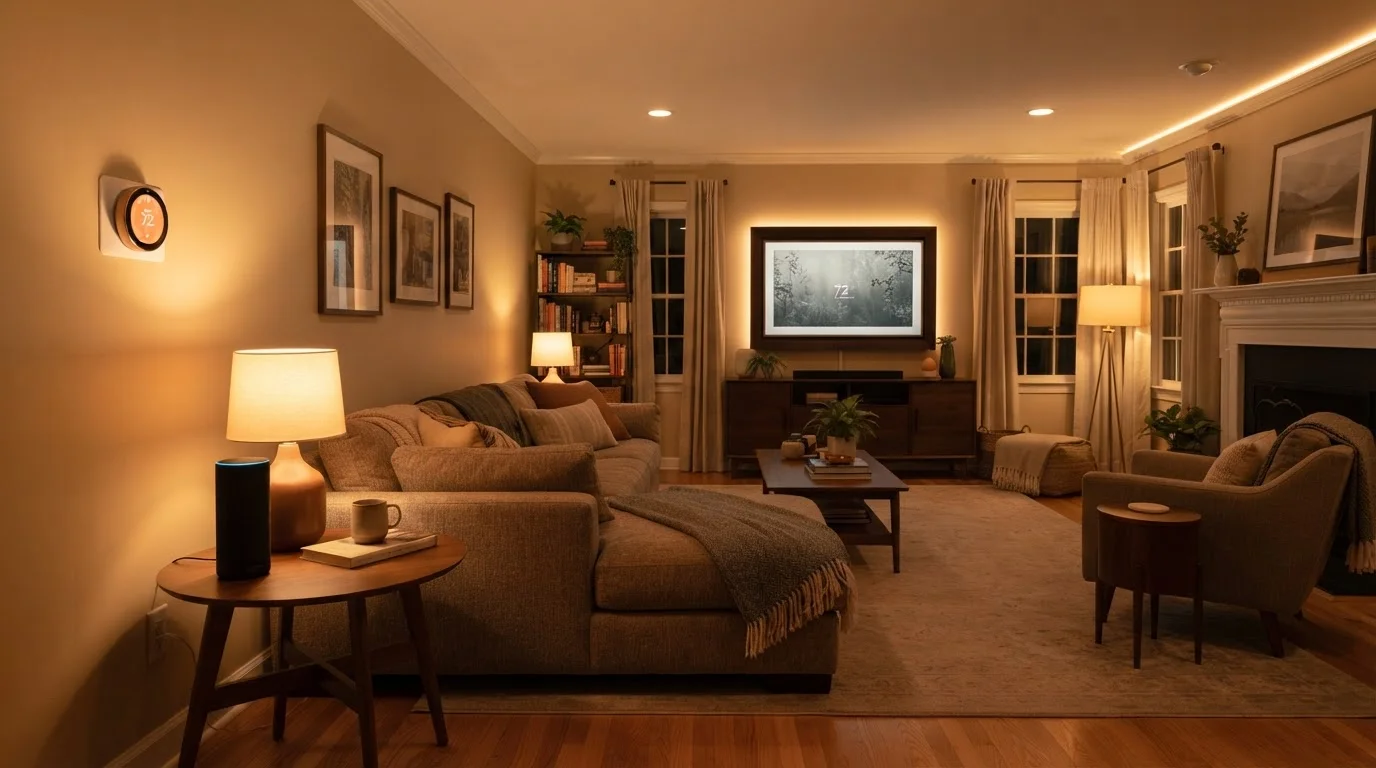
A smart home device is any piece of household hardware that can connect to the internet or a local network - and therefore be monitored, controlled, or automated beyond its basic physical function. A regular light switch turns a light on or off. A smart switch does the same, but also responds to voice commands, schedules, and remote control from your phone across town.
The category is broad. It includes speakers, thermostats, security cameras, door locks, light bulbs, outlet plugs, smoke detectors, and even appliances like refrigerators and washing machines. What unites them is connectivity - usually Wi-Fi, but sometimes Bluetooth, Zigbee, or Z-Wave (wireless protocols designed specifically for low-power home devices).
Smart home ecosystem
A platform - like Amazon Alexa, Google Home, or Apple HomeKit - that connects and coordinates smart devices from different brands under one app or voice assistant.
Wi-Fi protocol
The wireless communication standard most smart home devices use to connect to your home network and the internet.
Zigbee / Z-Wave
Low-power wireless protocols designed for smart home devices. They create a mesh network where devices relay signals to each other, but usually need a hub to connect to your router.
Matter
An industry standard that lets smart home devices from different brands work together across major ecosystems, reducing compatibility problems.
Hub
A central device that connects and manages smart home gadgets - especially those using Zigbee or Z-Wave - and bridges them to your Wi-Fi network.
IoT (Internet of Things)
The broad category of everyday objects - thermostats, bulbs, cameras, appliances - that connect to the internet to send and receive data.
The Most Common Types and What They Do
Understanding the most popular device categories helps you decide which ones solve real problems in your household:
- Smart speakers and displays: Voice-activated devices that answer questions, play music, set timers, and serve as the control hub for other smart devices. They're often the first device people add.
- Smart plugs: A standard outlet insert that adds Wi-Fi control to anything plugged into it - a lamp, a fan, a coffee maker. No wiring required, making them ideal for renters.
- Smart bulbs: Wi-Fi or Bluetooth-enabled light bulbs that let you change brightness, color temperature, and schedule on/off times from an app.
- Smart thermostats: Replace your existing thermostat and learn your schedule to optimize heating and cooling. Most require a common wire (C-wire) in your electrical system - check compatibility before purchasing. For anything beyond a straightforward swap, consult a licensed HVAC technician.
- Smart locks: Keypad or app-controlled door locks that let you grant access remotely, set temporary codes, and check whether your door is locked. Installation typically involves replacing existing hardware.
- Smart cameras and video doorbells: Provide live video feeds and motion alerts to your phone. Placement, local laws around recording, and data storage policies all deserve careful consideration.
If you're upgrading a home you recently purchased, pairing smart devices with foundational home knowledge pays off. Home Maintenance for First-Time Owners covers the essential upkeep tasks that form the backdrop for any smart home upgrade.
How Smart Devices Connect and Communicate
Most consumer smart home devices connect over your home's Wi-Fi network. Once connected, they're typically controlled through a manufacturer's app or integrated into a broader smart home ecosystem - a platform that lets multiple devices from different brands work together through a single app or voice assistant.
The three dominant ecosystems in the US are Amazon Alexa, Google Home, and Apple HomeKit. A newer standard called Matter is designed to let devices communicate across all three platforms, reducing the frustration of incompatibility. When shopping, look for Matter certification as a sign of broader long-term compatibility.
Some devices use Zigbee or Z-Wave instead of Wi-Fi. These protocols use less power and create a mesh network - each device strengthens the signal for others nearby. They generally require a separate hub to bridge them to your Wi-Fi and smartphone. For most beginners, Wi-Fi-based devices are simpler to start with. If you're also curious how streaming sticks and smart TVs fit into the connected home picture, Streaming Devices Compared breaks down how those devices stack up.
Where to Start as a First-Timer
The most common mistake new smart home users make is trying to automate everything at once. A phased approach is less overwhelming and lets you learn as you go.
- Start with one low-stakes device. A smart plug or a set of smart bulbs costs little, requires no installation, and gives you immediate hands-on experience with apps and voice commands.
- Pick one ecosystem and stick with it. Decide early whether you're in the Alexa, Google, or Apple world. Mixing ecosystems isn't impossible, but it adds complexity you don't need at the start.
- Check your Wi-Fi coverage. Smart devices strain a weak or overloaded network. If your router struggles to reach the far corners of your home, a mesh Wi-Fi system will make your smart devices far more reliable.
- Read the installation requirements carefully. Some devices - particularly smart thermostats and switches - require specific wiring that not all homes have. When in doubt, have a licensed electrician verify compatibility before you begin. Understanding Your Home's Electrical Panel is a useful reference for understanding what your home's wiring can support.
Start with a smart plug before anything else
A smart plug is the simplest, lowest-risk introduction to the smart home world. It plugs into any standard outlet, requires no tools, and lets you control any lamp or small appliance from your phone within minutes. Once you're comfortable with the app and voice commands, you'll have a much clearer sense of what you actually want to automate next.
Privacy and Security Basics
Every device you add to your network is a potential entry point. That's not a reason to avoid smart home tech - it's a reason to set it up thoughtfully.
- Use strong, unique passwords for every device account and your Wi-Fi network. A password manager makes this manageable.
- Enable two-factor authentication on any app that supports it.
- Keep firmware updated. Manufacturers regularly release security patches; most devices can auto-update if you enable the setting.
- Create a separate guest network on your router specifically for IoT (Internet of Things) devices. This isolates them from computers and phones that hold sensitive data.
- Review data and privacy settings in each device's app. Understand what's being recorded, where it's stored, and who has access - especially for cameras and voice-activated speakers.
Smart home technology lowers a meaningful barrier to home automation, but it works best when introduced intentionally. Start small, understand what each device does, and expand when it genuinely adds value to your daily routine - not because the category is trending.
Frequently Asked Questions
Not always. Many modern smart devices connect directly to your Wi-Fi and are managed through a smartphone app. A hub becomes useful when you want devices from different brands to work together or when you need local control that doesn't depend on the internet.
It depends on the device and setup. Many cloud-dependent devices lose remote control and voice command functionality without internet. Some systems support local control through a hub, so basic automations may still function offline.
Many are renter-friendly. Smart plugs, smart bulbs, and portable smart speakers require no permanent installation. Smart locks and hardwired thermostats typically require landlord approval and may involve installation work.
Consider what devices you already own. If you use Android and Google products, Google Home is a natural fit. iPhone users often lean toward Apple HomeKit. Amazon Alexa has the broadest device compatibility across brands. Picking one ecosystem early avoids integration headaches later.
Smart devices themselves use a small amount of standby power, but smart thermostats and smart plugs can actually help reduce energy use by automating shutoffs and optimizing heating and cooling schedules. Net impact varies by usage habits.
No connected device is completely immune, but strong unique passwords, two-factor authentication, and keeping firmware updated significantly reduce risk. Placing IoT devices on a separate guest network adds an extra layer of protection.
The content on this site is provided for informational purposes only and should not be considered a substitute for professional advice. While we strive to provide accurate and up-to-date information, we make no guarantees regarding its completeness or accuracy. Always consult a qualified professional for advice specific to your circumstances before making any decisions.