

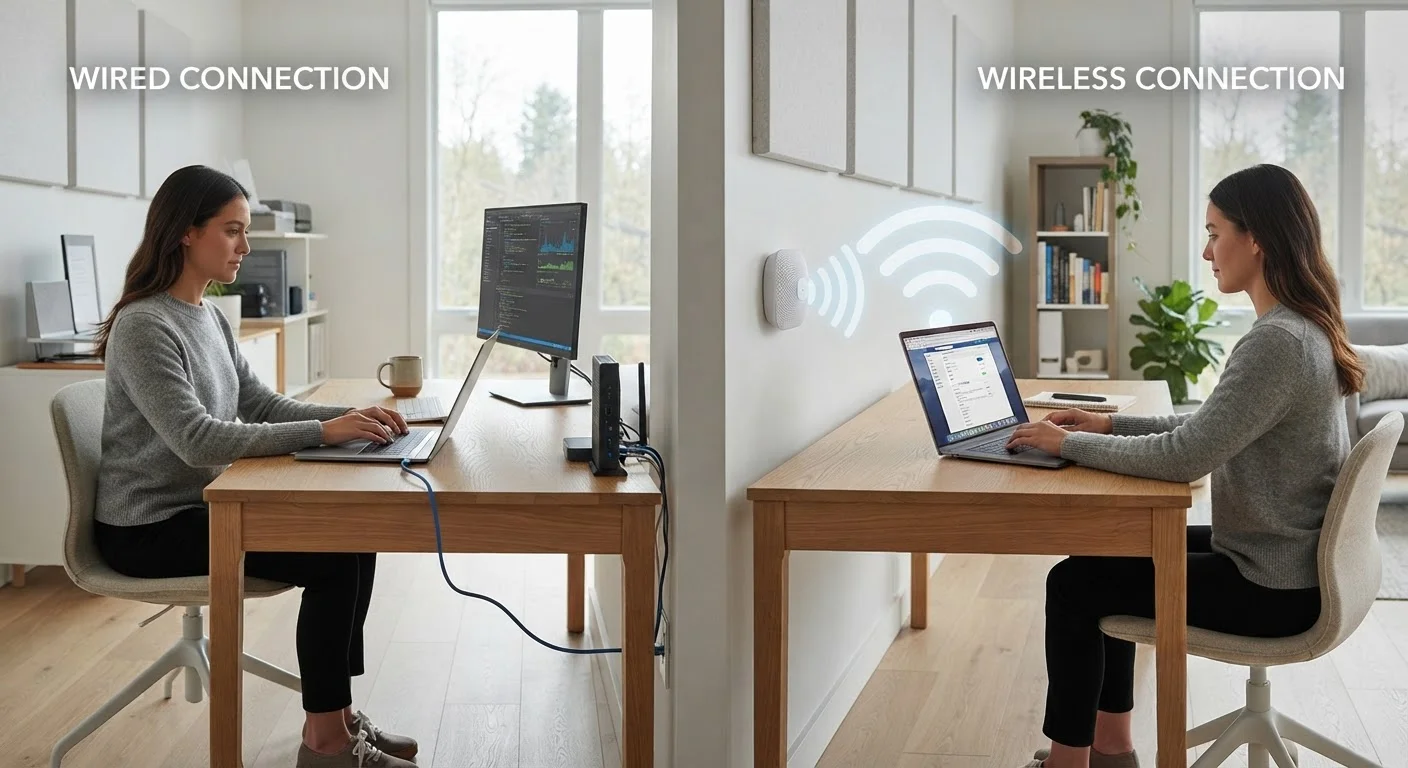
Option A
Wired (Ethernet) Connection
The consistent, low-latency backbone of serious home networking.
Best for: Devices that stay in one place and demand steady, high-performance connectivity - desktops, game consoles, smart TVs, and work-from-home setups.
Option B
Wi-Fi Connection
The flexible, wire-free standard that works well for most everyday tasks.
Best for: Mobile devices, casual browsing, streaming on multiple screens, and any situation where running a cable is impractical.
What Actually Separates Ethernet from Wi-Fi
At its core, the difference is the medium. Ethernet transmits data through a physical cable - typically a Cat5e, Cat6, or Cat6a cable - running directly between your device and your router. Wi-Fi transmits the same data as radio waves through the air. That distinction in medium is responsible for almost every performance difference you'll notice between the two.
A wired connection has no signal to degrade, no walls to penetrate, and no competing wireless traffic to share spectrum with. What your router sends, your device receives - reliably and in full. Wi-Fi, by contrast, is subject to interference from neighboring networks, microwave ovens, baby monitors, and building materials. The further a device sits from the router, the more signal weakens. To understand what your router is actually managing on both sides of that equation, see how home networking actually works.
Two metrics matter most in everyday use: throughput (how much data moves per second) and latency (how long a single data packet takes to make a round trip). Ethernet typically wins on both, but the margin varies significantly by situation.
| Criterion | Wired (Ethernet) | Wi-Fi |
|---|---|---|
| Latency (typical home) | 1-5 ms | 5-50+ ms (varies) |
| Speed consistency | Very stable | Fluctuates with interference |
| Maximum throughput | Up to 1-10 Gbps (cable-dependent) | Up to ~9.6 Gbps (Wi-Fi 6, ideal) |
| Signal degradation | None | Significant over distance/walls |
| Device mobility | None - tethered to cable | Full - anywhere in range |
| Setup complexity | Requires cable routing | Simple, no physical install |
| Interference risk | None | Moderate - shared spectrum |
| Best use case | Gaming, WFH, large transfers | Mobile devices, general use |
When the Difference Is Measurable - and When It Isn't
For most households, the gap between a well-configured Wi-Fi setup and Ethernet is imperceptible during routine tasks. Streaming a 4K video, loading web pages, or joining a group chat places relatively modest demands on either connection type, and both handle them comfortably on any modern broadband plan.
The difference becomes concrete in three scenarios. First, online gaming: latency spikes of even 20-30 milliseconds can affect real-time gameplay. Ethernet delivers consistent single-digit to low double-digit latency in most home environments; Wi-Fi can fluctuate more, especially during peak household usage. Second, large file transfers: uploading a multi-gigabyte backup or transferring video footage between devices over Wi-Fi takes noticeably longer than over Ethernet at equivalent plan speeds. Third, simultaneous heavy use: when multiple household members stream in high definition, attend video calls, and game at the same time, Wi-Fi congestion compounds. Ethernet removes stationary devices from that competition entirely.
Upload performance deserves special attention here. Remote workers sharing large files or presenting over video deserve a stable upload path - for more on why upload speed matters as much as download, see our breakdown of download vs. upload speeds.
Wi-Fi's Real Strengths
Wireless connectivity's biggest advantage is not speed - it's freedom. Smartphones, tablets, and laptops move through a home constantly, and no cable follows them. For these devices, Wi-Fi isn't a compromise; it's the correct tool. Attempting to Ethernet-connect a device you carry from room to room defeats the purpose.
Modern Wi-Fi standards have also narrowed the raw performance gap considerably. Wi-Fi 6 (802.11ax) introduced features like OFDMA - which lets a router communicate with multiple devices simultaneously rather than sequentially - and improved performance in high-density environments. For a detailed comparison of generations, see how Wi-Fi 6 compares to Wi-Fi 5.
Placement matters more than most people realize. A router tucked behind a television inside a media cabinet, or placed at one end of a long home, will underperform a router in a central, elevated, open position. Mesh systems - networks of multiple access points distributed through a home - address coverage gaps that a single router cannot. Before attributing poor Wi-Fi to the technology itself, it's worth examining whether placement or hardware age is the real bottleneck.
Router Quality Affects Both Connection Types
A router's hardware sets the ceiling for both wired and wireless performance in your home. An older or underpowered router can bottleneck even a fast Ethernet connection if its processor can't handle the traffic load. If you're consistently seeing speeds well below what your plan advertises - even over Ethernet - the router itself may be the constraint, not the cable or the wireless signal.
Practical Decisions: A Hybrid Approach for Most Homes
Most households benefit from treating Ethernet and Wi-Fi as complementary rather than competing. The practical strategy: wire the devices that stay put and demand consistent performance, and leave Wi-Fi for everything that moves.
Desktop computers, network-attached storage drives, smart TVs used for 4K streaming, and game consoles are all strong candidates for Ethernet. Even a single cable run to a home office desk can meaningfully stabilize video call quality for a remote worker. For renters or anyone who can't run cables through walls, powerline adapters (which use existing electrical wiring to carry network signals) and MoCA adapters (which use coaxial cable infrastructure) offer middle-ground options worth exploring.
The underlying internet service technology also shapes the ceiling of what either connection type can deliver. A gigabit fiber plan leaves headroom for both wired and wireless to perform well; a slower DSL connection may feel constrained regardless of whether you use Ethernet. For context on how different service types affect home networking, see our explanation of fiber, cable, DSL, and other service types.
Security is another quiet differentiator. A wired device communicates only through its physical cable - it cannot be intercepted over the air. Wi-Fi, while encrypted by modern security protocols, does broadcast a signal that extends beyond your walls. For a fuller look at wireless signal risks in shared environments, see what happens to your data on Wi-Fi networks.
The content on this site is provided for informational purposes only and should not be considered a substitute for professional advice. While we strive to provide accurate and up-to-date information, we make no guarantees regarding its completeness or accuracy. Always consult a qualified professional for advice specific to your circumstances before making any decisions.